Quick verdict
Choose Bidsketch for salespeople who want a simple, proven proposal tool and can live with a dated UI; choose Prospero for freelancers and small teams that want a cheap, easy proposal builder. Prospero starts lower, at $12/user/mo against $15/mo for Bidsketch. In our capability model Prospero leads on AI drafting, and the two match everywhere else.
Both profiles reviewed Oct 2026
2 of 70 profiles, one scoring modelNo paid placementSources checked: 11Choose Bidsketch or Prospero
BI Choose Bidsketch when
- Salespeople who want a simple, proven proposal tool and can live with a dated UI.
- Simple structure: reusable sections and fee tables assemble a standard proposal quickly.
PR Choose Prospero when
- Freelancers and small teams that want a cheap, easy proposal builder.
- You need stronger AI drafting than Bidsketch offers.
- You want the lower entry price: $12/user/mo.
Side-by-side comparison
| Capability | Bidsketch | Prospero | Edge |
|---|---|---|---|
| Best for | Salespeople who want a simple, proven proposal tool and can live with a dated UI. | Freelancers and small teams that want a cheap, easy proposal builder. | - |
| Starting price | $15/mo | $12/user/mo | Prospero |
| Free tier | No | No | Match |
| RFPs | 0/3 | 0/3 | Match |
| DDQs | 0/3 | 0/3 | Match |
| Security questionnaires | 0/3 | 0/3 | Match |
| AI drafting | 0/3 | 1/3 | Prospero |
| Answer library | 1/3 | 1/3 | Match |
| Source attribution | 0/3 | 0/3 | Match |
| Workflow & approvals | 1/3 | 1/3 | Match |
| Integrations | 2/3 | 2/3 | Match |
| Self-serve onboarding | 3/3 | 3/3 | Match |
| ISO 27001 | Not listed | Not listed | - |
| SOC 2 | Not listed | Not listed | - |
| US hosting | Not listed | Not listed | - |
| EU hosting | Not listed | Not listed | - |
| Slack | Not listed | Not listed | - |
| Microsoft Teams | Not listed | Not listed | - |
| AWS, Azure, GCP | Not listed | Not listed | - |
| Listed integrations | Salesforce, Zapier, FreshBooks | QuickBooks, Stripe, Zapier, FreshBooks | - |
| Certifications | None listed | None listed | - |
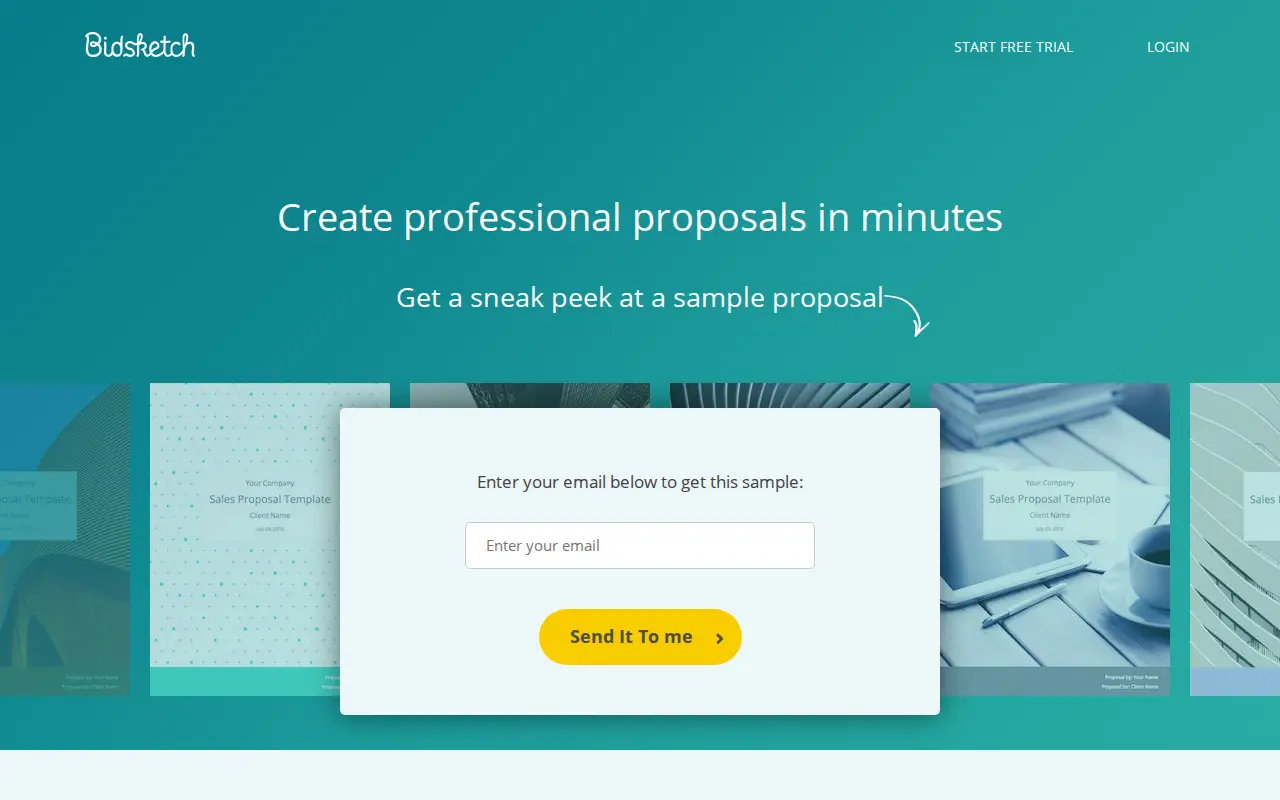
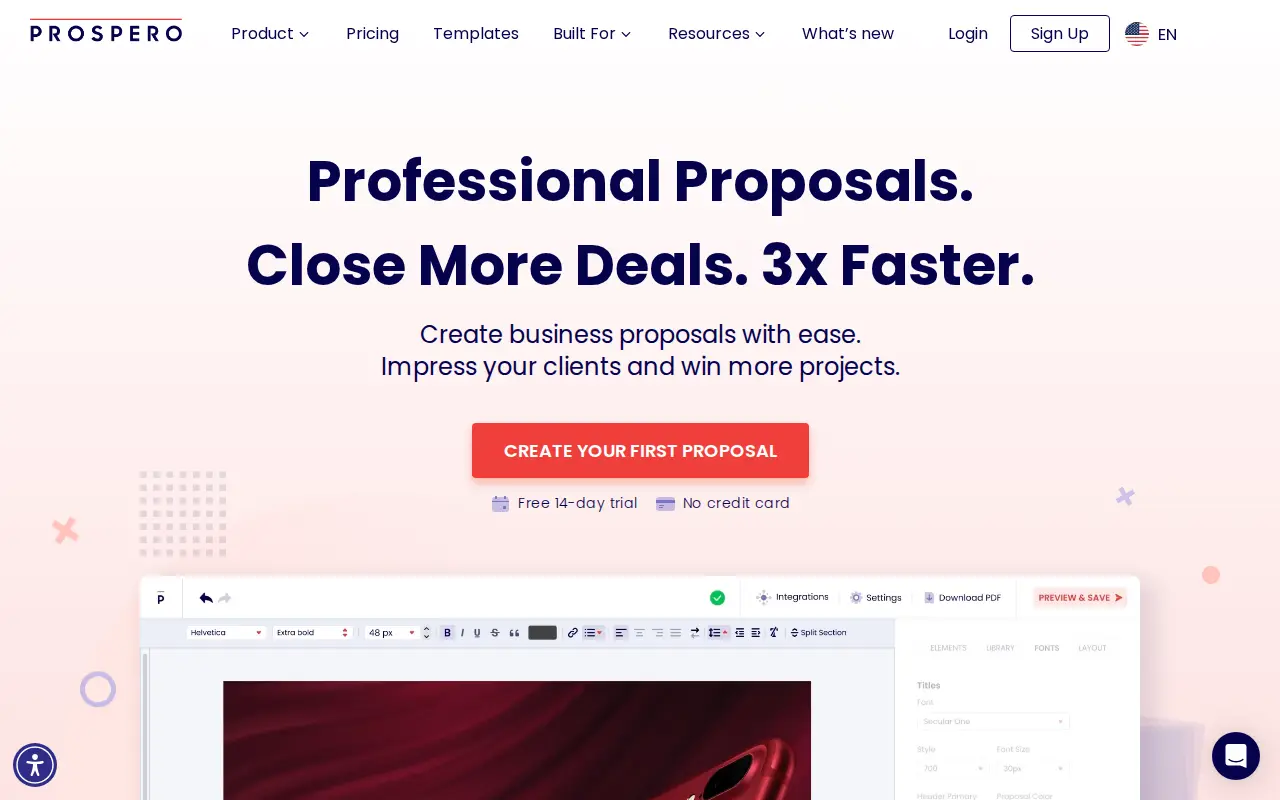
What they look like
BI Bidsketch
PR Prospero
Security: ISO 27001, SOC 2, and regional hosting
Put Bidsketch and Prospero through the same three questions a security reviewer will ask: ISO 27001, SOC 2, and whether you can keep the tenancy in the US or the EU. Cells say Not listed when we could not find the claim on a public vendor page.
| Check | Bidsketch | Prospero |
|---|---|---|
| ISO 27001 | Not listed | Not listed |
| SOC 2 | Not listed | Not listed |
| US hosting | Not listed | Not listed |
| EU hosting | Not listed | Not listed |
Slack and Microsoft Teams
During a live questionnaire, SMEs get pinged in Slack or Teams, not in a vendor portal. Here is what Bidsketch and Prospero publish for those two connections.
| Connection | Bidsketch | Prospero |
|---|---|---|
| Slack | Not listed | Not listed |
| Microsoft Teams | Not listed | Not listed |
Subprocessors: the big three clouds, then the niche names
Compare Bidsketch and Prospero on AWS, Azure and GCP first. Then scan for niche processors a reviewer should pause on: third-party LLMs, session replay, or support that leaves the region you elected.
| Layer | Bidsketch | Prospero |
|---|---|---|
| AWS, Azure, GCP | Not listed | Not listed |
| Watch-outs | No niche processors flagged in our sourced list. | No niche processors flagged in our sourced list. |
Bidsketch and Prospero sit at the budget end of proposal software. Both get a freelancer or a small team from blank page to signed proposal without a sales call, and both price low enough that the decision rarely needs a manager’s sign-off. They differ in pricing shape (flat plans with user caps versus a single per-user plan), in what the cheapest option includes, and in how recently each product has been reviewed by actual users.
On list price, Prospero is cheaper at almost every team size and includes more on its one plan. Bidsketch’s case rests on flat billing for small teams and a long, quiet track record. Details below, organized around the questions buyers actually ask.
Key takeaways
- Price: Prospero is $12 per user per month billed annually or $19 monthly, with a 14-day free trial. Bidsketch’s signature-free Starter is $15 a month; billed yearly, Solo is $23 for one user, Team $47 for three and Business $119 for eight.
- Plan structure: Prospero sells one plan with unlimited proposals. Bidsketch sells four plans, all paid ones with unlimited proposals and clients but capped headcount.
- Included features: Prospero’s plan lists file attachments, PDF export, version history, a generative AI writing and image assistant, content locking and two signers. Bidsketch documents that proposals cannot carry attachments.
- Integrations: Both lean on accounting tools (QuickBooks and FreshBooks for Prospero; FreshBooks and Harvest for Bidsketch). Bidsketch has a native Salesforce integration. Prospero’s integrations page does not list Salesforce and points to Zapier or Make for apps it does not support directly.
- Reviews: As of July 2026, Prospero holds 4.8 out of 5 on Capterra across 135 reviews, with reviews running into 2026. Bidsketch holds 4.3 across 25, with visible reviews from 2016 to 2022.
- Limitations: Prospero’s recent reviewers ask for more design flexibility and mention occasional saving glitches. Bidsketch’s documented gaps include no attachments and a Starter plan without signatures.
Who is behind each product?
Bidsketch is the older of the two. It was founded in 2009 in Spokane, Washington, bootstrapped by its founder, and its terms of service name Earthlingsoft, LLC as the operating company. Customers it names include One Lily, Tekture and Daina Creative, mostly small agencies and studios. The product has kept the same basic model for years: sections, a fee table, a client landing page and a signature.
Prospero, which trades as GoProspero, is younger and is operated by Poptin, according to its terms. Its marketing is aimed squarely at freelancers and small service businesses, with about twenty industry pages running from photography and events to construction and insurance. Its single plan is built to be bought in a few minutes without talking to anyone, and features such as the AI writing assistant sit on that same plan rather than behind a higher tier.
That history matters for one practical reason: the review record. Prospero’s Capterra reviews keep arriving in 2025 and 2026. The Bidsketch reviews visible on Capterra in October 2026 stop in 2022, so you have less recent evidence about how it behaves today. A trial carries more weight with Bidsketch.
Which one is cheaper?
Prospero, in most cases. Here are list prices from each vendor’s pricing page as of October 2026.
Billed annually
| Team size | Prospero ($12/user) | Bidsketch |
|---|---|---|
| 1 user | $12/mo | Solo, $23/mo |
| 3 users | $36/mo | Team, $47/mo |
| 8 users | $96/mo | Business, $119/mo |
Billed monthly
| Team size | Prospero ($19/user) | Bidsketch |
|---|---|---|
| 1 user | $19/mo | Solo, $29/mo |
| 3 users | $57/mo | Team, $79/mo |
| 8 users | $152/mo | Business, $149/mo |
The one place Bidsketch comes out ahead is a full team of eight on monthly billing, where its flat $149 Business plan edges out eight Prospero seats by $3. Bidsketch’s flat plans also mean you pay the same for 4 users as for 8 on Business, which helps a team that is growing toward the cap.
When the team grows
Bidsketch’s caps create step changes. A team of 3 sits on Team at $47 a month (yearly). Hire a fourth seller and the next option is Business at $119, a jump of $72 a month for one extra person. Prospero adds $12 per extra seat on annual billing, so the same hire costs $12. If you expect to move between three and eight people over the next year, model both paths before you sign; Bidsketch only wins once the Business plan is close to full.
Bidsketch’s $15 Starter plan looks like the cheapest option on the page, but it allows 1 user and 25 clients and has no e-signatures or custom domain. For anyone who wants signed proposals, Bidsketch effectively starts at Solo.
Trials work differently. Prospero offers 14 days with no credit card. Bidsketch offers 14 days with a card up front and a reminder email 3 days before the charge.
What does each plan actually include?
Prospero’s pricing page lists one plan, aimed at individual freelancers and priced per seat. On it: unlimited proposals, more than 100 templates, a content library, variables, an inline form, version history, proposal import, expiry dates, an interactive pricing module, file attachments, PDF export, uploaded fonts, user roles, content locking, proposal tags, automated emails and reminders, and live chat support. Its e-signature supports typed, drawn and uploaded signatures with timestamp, IP and device details, and allows two signers.
Bidsketch’s paid plans (Solo, Team and Business) all include unlimited proposals and clients, analytics, e-signatures, your own domain, real-time collaboration and team management. The plans differ by user cap: 1, 3 and 8. Its help center documents three user types: regular users are limited to their own proposals and clients, Power Users can open and change anyone’s, and the Admin also handles settings and billing.
What Bidsketch does not include: file attachments. Its help center says proposals do not support attachments in the traditional sense and suggests linking to a file hosted on Google Drive instead (read October 2026). If you routinely send a rate card or a sample contract alongside the proposal, that is a daily irritation rather than an edge case.
Which is easier to build a proposal in?
Both are template-first and quick to learn. They take different approaches to design.
Bidsketch is structured. You assemble a proposal from reusable sections and a fee table, choose a cover design, and set fonts and colors for headings and body text through a customize panel. You can import an existing Word or PDF template, and insert page breaks so the PDF version does not split a paragraph. Optional fees let a client add extras. The structure keeps proposals consistent, and it also limits how far you can stray from the format. Capterra reviewers between 2017 and 2022 asked for more layout and design control, and several described the interface as dated.
Bidsketch also documents a specific trap: pasting text copied from a PDF can strip HTML tags and freeze sections in the editor until you fix the markup by hand or paste as plain text (read October 2026). Learn the plain-paste shortcut on day one.
Prospero gives you a drag-and-drop editor with layouts, elements and themes. Recent Capterra reviews are broadly positive on ease of use, but the design complaints have not gone away: reviewers in February 2025, June 2025 and October 2025 asked for more flexible theme editing and better-looking templates, and a February 2023 reviewer noted the templates skew toward IT and product sales rather than services. Expect a clean result that may still look templated.
Can clients pay, sign together, and download a PDF?
Payments. Prospero integrates with Stripe so clients can pay inside the proposal, and connects to QuickBooks and FreshBooks for invoicing. Bidsketch does not list in-proposal payments; its accounting links run through FreshBooks and Harvest, where you would invoice after the proposal is accepted.
Signers. Prospero’s plan lists two signers per proposal. Bidsketch documents client signature on its landing page. Once a Bidsketch proposal is signed, it is locked; the help center’s fix for a mistaken signature is to copy the proposal and resend.
PDFs. Both export PDFs. Bidsketch’s design tools include page breaks specifically for the PDF layout. Prospero lists PDF export and a PDF footer setting.
Reminders and follow-up. Prospero includes unlimited proposal emails and automatic reminders. Bidsketch’s view notifications tell you when a client has opened the proposal, which is your cue to follow up.
Does either use AI?
Prospero does. Its plan includes a generative AI assistant that can change tone, change length, improve writing, generate new text and generate images. That is drafting help for your own proposal copy, which is useful for a freelancer who hates writing scope sections. It is not a system that reads a buyer’s questions and answers them from approved content.
Bidsketch has no AI writing assistant. Everything in the proposal is text you or a colleague wrote and saved.
How do they fit your other tools?
Prospero’s integrations page lists Stripe, Make, Zapier, QuickBooks, FreshBooks, Chatway, Slack, Wix and HubSpot among others, and its pricing page adds Xero and Monday.com. The Slack integration posts a notification when a client signs. What is missing is Salesforce: Prospero’s integrations directory does not list Salesforce or Microsoft Dynamics, and suggests Zapier or Make for apps without a direct integration (read October 2026).
Bidsketch’s integrations include Salesforce, Highrise, FreshBooks, Harvest, Basecamp and Zapier, and its help center documents an API. The Harvest and FreshBooks links suit agencies that bill by the hour. The Salesforce connection is the one integration advantage Bidsketch holds here.
What happens if you leave?
Plan your exit before you start, because proposals are contract records.
Bidsketch’s help center says you can upgrade or downgrade at any time, and that monthly subscribers can put the account on hold so data is kept while you are not paying. Deleting the account deletes all of its data. Its client list can be exported, per a separate help article, but signed proposals are something you will want to download individually before you go.
Prospero’s pricing page says you can cancel anytime. Its plan includes PDF export, so the same rule applies: keep your own copies of signed proposals rather than relying on any vendor’s archive.
Known issues and watch-outs
Each item is sourced from the vendor’s own pages or a theme repeated across dated reviews.
Bidsketch
- Signature-free Starter. The $15 plan also drops the custom domain and stops at 25 clients, while the team plans top out at 3 and 8 users (Bidsketch pricing, checked October 2026).
- No attachments (help center, read October 2026).
- Pasted PDF text can freeze sections (help center, read October 2026).
- Reviews are old and ask for a modern UI. Capterra reviews from 2017 to 2022 request a more updated interface, more design control and more native integrations (Capterra, read October 2026).
Prospero
- No native Salesforce or Dynamics. Its integrations directory points to Zapier or Make instead (integrations page, read October 2026).
- Design flexibility. Capterra reviewers in February, June and October 2025 asked for more flexible themes and less basic templates (Capterra, read October 2026).
- Occasional reliability complaints. Reviews from September 2022, October 2025 and November 2025 mention sections not saving or proposal links being unreachable, though one reviewer called it rare (Capterra, read October 2026).
- Status management. An April 2026 reviewer could not see expired proposals or sort by status on the dashboard (Capterra, read October 2026).
Concessions both ways: Prospero packs attachments, reminders, AI help and payments into one cheap plan, which is hard to argue with. Bidsketch’s flat team plans and native Salesforce link are real advantages for the right buyer.
Should either be used for RFPs or security questionnaires?
No, and neither claims to. Both build proposals you write for your own clients.
An RFP response, a DDQ or a security questionnaire works the other way round. The buyer sends the questions, often in their own Word or Excel template, and expects that file back with every question answered consistently with what you said last quarter. That calls for importing the buyer’s document, searching a library of approved answers, sending gaps to the right expert, and exporting into the original format. Neither Bidsketch nor Prospero does any of that, and their content libraries store reusable blocks for your own proposals, not sourced answers.
For a freelancer who quotes projects, that is fine: you are the right buyer for these tools. For a team that is starting to receive vendor questionnaires from larger clients, add a response tool such as Loopio, Responsive or AutoRFP.ai rather than stretching a proposal builder past its purpose.
Who should pick Bidsketch
- Teams of 4 to 8 on monthly billing, where Business’s flat $149 matches or beats per-seat pricing.
- Agencies that bill through Harvest or FreshBooks and want proposals tied into that flow.
- Salesforce users who want a native connection rather than a Zapier bridge.
- Buyers who prefer a fixed proposal structure over a free-form editor.
Who should pick Prospero
- Freelancers and small teams who want the lowest per-seat price here: $12 a month on annual billing.
- Anyone who needs to attach files, collect payment in the proposal, or have two people sign.
- Users who want AI help rewriting their own proposal copy.
- Buyers who want to try without a credit card.
Verdict
Prospero is the better value for most buyers in this pair. One inexpensive plan covers attachments, reminders, payments, version history and an AI writing assistant, and its review base is larger and more current. Test the design flexibility against your brand before committing, and plan on Zapier or Make if you use Salesforce.
Bidsketch still makes sense for a team of four to eight on monthly billing, for Harvest-centric agencies, and for anyone who needs a native Salesforce link. Go in aware that its documented gaps (no attachments, signature-less Starter) are fixed features of the product, and that its reviews describe the product as it was several years ago.
Read the full Bidsketch review or Prospero review, or browse all RFP & DDQ software.
Frequently asked questions
What is the difference between Bidsketch and Prospero?
Bidsketch: Classic proposal software for closers. Prospero: Lightweight proposal builder for small teams. Bidsketch is best for salespeople who want a simple, proven proposal tool and can live with a dated UI. Prospero is best for freelancers and small teams that want a cheap, easy proposal builder.
Which is cheaper, Bidsketch or Prospero?
Prospero starts lower at $12/user/mo, versus $15/mo for Bidsketch.
Is Bidsketch or Prospero better for DDQs and security questionnaires?
They are level on DDQ and security-questionnaire handling in our capability model, so test both on one of your own questionnaires.
Do Bidsketch and Prospero both handle RFPs?
Bidsketch: limited. Prospero: limited.
Which should you choose, Bidsketch or Prospero?
Bidsketch is the pick for salespeople who want a simple, proven proposal tool and can live with a dated UI. Prospero is the pick for freelancers and small teams that want a cheap, easy proposal builder.
Are there alternatives to Bidsketch and Prospero?
Yes. Browse the full directory of RFP, DDQ, and security-questionnaire platforms for more options and side-by-side comparisons.
Do Bidsketch and Prospero list ISO 27001, SOC 2, and US or EU hosting?
Bidsketch: ISO 27001 Not listed, SOC 2 Not listed, US Not listed, EU Not listed, Slack Not listed, Teams Not listed, clouds Not listed. Prospero: ISO 27001 Not listed, SOC 2 Not listed, US Not listed, EU Not listed, Slack Not listed, Teams Not listed, clouds Not listed. Confirm both on the vendor sites.
Source registry
Every page we read for these profiles, with the month it was last checked. Anything without a source is shown as not publicly disclosed. Spot an outdated fact? Send it from the corrections page.
Bidsketch
Pricing
Security and compliance
- No security source URL recorded. Treat certifications and hosting as not publicly disclosed.
Product and integrations
Third-party reviews
Prospero
Pricing
Security and compliance
- No security source URL recorded. Treat certifications and hosting as not publicly disclosed.
Product and integrations
Third-party reviews