Quick verdict
Choose Prospero for freelancers and small teams that want a cheap, easy proposal builder; choose Qwilr for sales teams that want proposals to feel like a polished web page. Prospero starts lower, at $12/user/mo against $35/user/mo for Qwilr. They match on every capability we score, so fit and price decide it.
Both profiles reviewed Oct 2026
2 of 70 profiles, one scoring modelNo paid placementSources checked: 9Choose Prospero or Qwilr
PR Choose Prospero when
- Freelancers and small teams that want a cheap, easy proposal builder.
- Low published price: $12/user/mo billed annually.
- You want the lower entry price: $12/user/mo.
QW Choose Qwilr when
- Sales teams that want proposals to feel like a polished web page.
- Interactive pages stand out against the usual PDF proposal.
Side-by-side comparison
| Capability | Prospero | Qwilr | Edge |
|---|---|---|---|
| Best for | Freelancers and small teams that want a cheap, easy proposal builder. | Sales teams that want proposals to feel like a polished web page. | - |
| Starting price | $12/user/mo | $35/user/mo | Prospero |
| Free tier | No | No | Match |
| RFPs | 0/3 | 0/3 | Match |
| DDQs | 0/3 | 0/3 | Match |
| Security questionnaires | 0/3 | 0/3 | Match |
| AI drafting | 1/3 | 1/3 | Match |
| Answer library | 1/3 | 1/3 | Match |
| Source attribution | 0/3 | 0/3 | Match |
| Workflow & approvals | 1/3 | 1/3 | Match |
| Integrations | 2/3 | 2/3 | Match |
| Self-serve onboarding | 3/3 | 3/3 | Match |
| ISO 27001 | Not listed | Not listed | - |
| SOC 2 | Not listed | SOC 2 Type II | - |
| US hosting | Not listed | Not listed | - |
| EU hosting | Not listed | Not listed | - |
| Slack | Not listed | Not listed | - |
| Microsoft Teams | Not listed | Not listed | - |
| AWS, Azure, GCP | Not listed | Not listed | - |
| Listed integrations | QuickBooks, Stripe, Zapier, FreshBooks | HubSpot, Salesforce, Zoho, Pipedrive, QuickBooks | - |
| Certifications | None listed | SOC 2 Type II | - |
What they look like
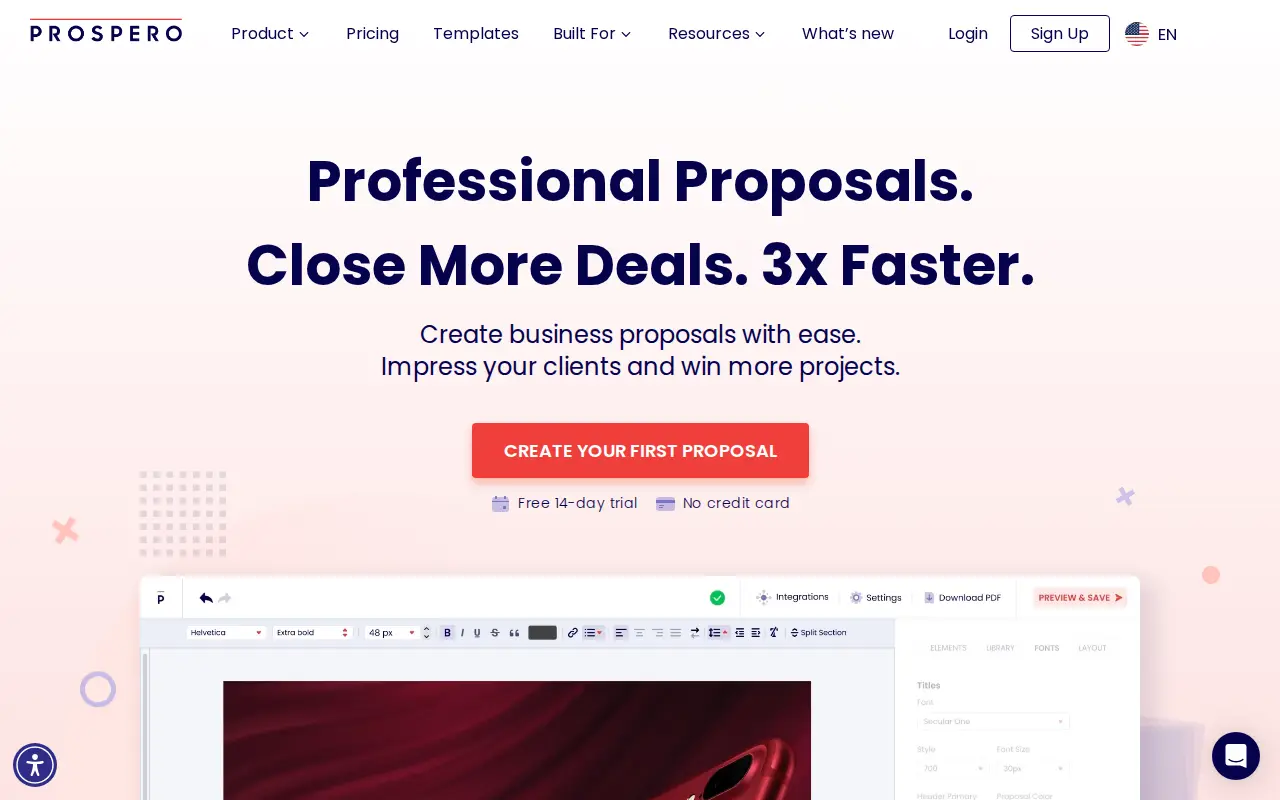
PR Prospero
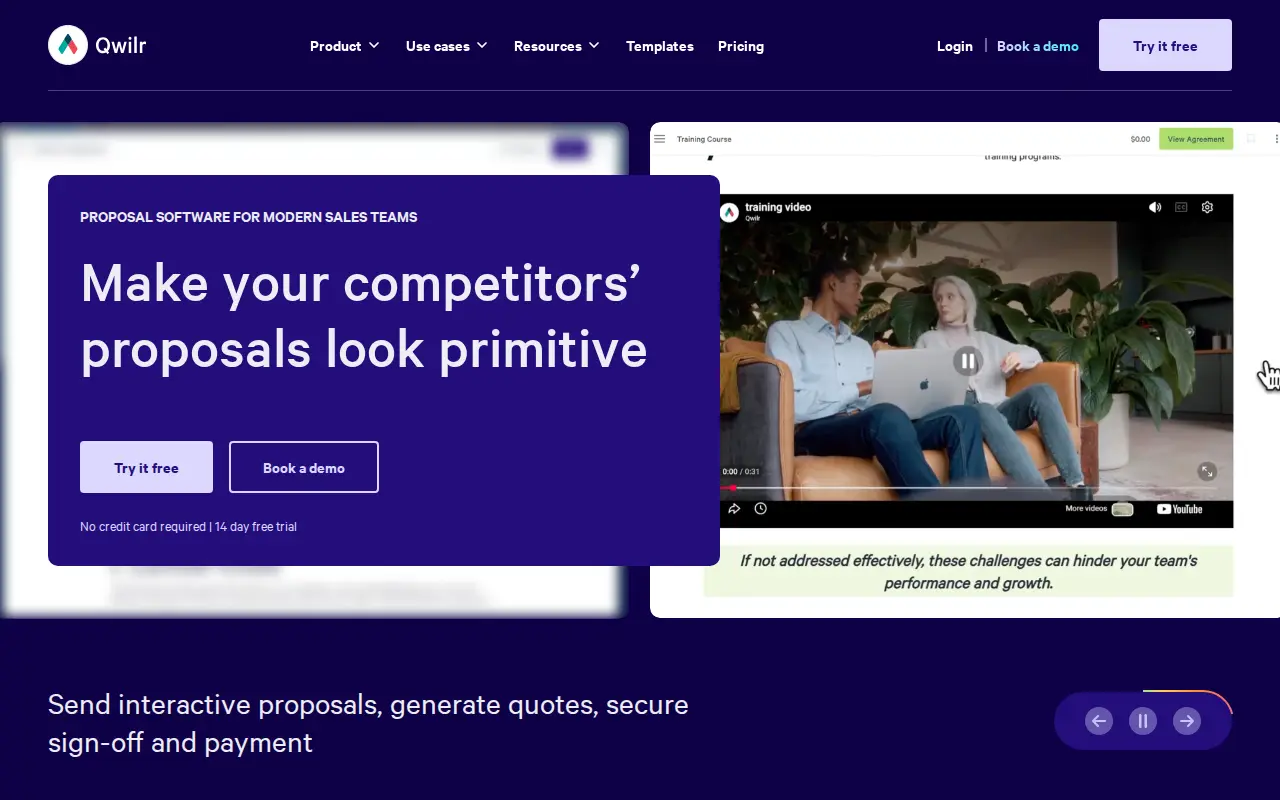
QW Qwilr
Security: ISO 27001, SOC 2, and regional hosting
Put Prospero and Qwilr through the same three questions a security reviewer will ask: ISO 27001, SOC 2, and whether you can keep the tenancy in the US or the EU. Cells say Not listed when we could not find the claim on a public vendor page.
| Check | Prospero | Qwilr |
|---|---|---|
| ISO 27001 | Not listed | Not listed |
| SOC 2 | Not listed | SOC 2 Type II |
| US hosting | Not listed | Not listed |
| EU hosting | Not listed | Not listed |
Slack and Microsoft Teams
During a live questionnaire, SMEs get pinged in Slack or Teams, not in a vendor portal. Here is what Prospero and Qwilr publish for those two connections.
| Connection | Prospero | Qwilr |
|---|---|---|
| Slack | Not listed | Not listed |
| Microsoft Teams | Not listed | Not listed |
Subprocessors: the big three clouds, then the niche names
Compare Prospero and Qwilr on AWS, Azure and GCP first. Then scan for niche processors a reviewer should pause on: third-party LLMs, session replay, or support that leaves the region you elected.
| Layer | Prospero | Qwilr |
|---|---|---|
| AWS, Azure, GCP | Not listed | Not listed |
| Watch-outs | No niche processors flagged in our sourced list. | No niche processors flagged in our sourced list. |
Start with the price, because it is the first thing anyone notices. Prospero costs $12 per user per month on annual billing. Qwilr starts at $35 per user per month on the same terms, and its team plans run $55 and $75 per user with seat minimums. For a five-person sales team, that is the difference between $720 and at least $2,100 a year.
So the real question is what the extra money buys. Our short answer: Qwilr buys polish, built-in payments, a much bigger integration and automation story, and a vendor used by enterprise sales teams. Prospero buys a perfectly capable proposal builder for freelancers and small teams who would rather keep the difference. Neither one answers RFPs or questionnaires.
Key takeaways
- Price: Prospero is per-user from $12/user/mo billed annually ($19 monthly). Qwilr Starter is $35/user/mo billed annually ($49 monthly); Growth ($55) and Scale ($75) require 5 and 10 users and annual billing.
- Buyer: Prospero targets freelancers, agencies and small teams. Qwilr targets B2B sales teams, from a single seller up to enterprise organisations such as Thomson Reuters and Morningstar.
- Payments: Qwilr’s QwilrPay takes full, partial or recurring payments on every plan. Prospero takes payment through its Stripe and Square integrations.
- CRM: Both sync with HubSpot. Qwilr adds Zoho and Pipedrive on Starter, Microsoft Dynamics on Growth and Salesforce on Scale. Prospero has no native Salesforce or Dynamics integration and points to Zapier or Make.
- Ratings: Prospero holds 4.8/5 on Capterra (135 reviews); Qwilr holds 4.6/5 on both G2 (909 reviews) and Capterra (385 reviews), as of July 2026.
- Limitations: Prospero reviewers report basic template designs and occasional bugs, and live chat support runs on GMT+2 business hours. Qwilr’s upper tiers carry seat minimums and annual-only terms, and its document automation is billed per document.
Who is behind each product
Prospero (GoProspero) was founded in 2017, is based in Tel Aviv, and is operated by Poptin, the company named in its terms of service. It is a focused, inexpensive product with a single plan and a long feature list for the price. Customers it names include Mindshare Digital, Redleo Web Design, KnackBuilders and IVBS Digital Agency, which tells you who it serves: agencies, freelancers and small service businesses.
Qwilr was founded in 2014 and is based in Redfern, Sydney. Its $7.25M Series A in May 2020 was led by AirTree Ventures. It has grown well beyond its agency origins and now sells tiered plans with customer success managers, design services and an API to sales organisations at companies including Drata, Meltwater, OpenTable and Yale.
That difference in scale shows up everywhere below, mostly in Qwilr’s favour on capability and in Prospero’s favour on cost.
One proposal, start to finish
Drafting
Prospero gives you a drag-and-drop editor, more than 100 templates, a content library of reusable sections and images, variables, an inline form, file attachments, and the ability to import an existing proposal. Its generative AI assistant can write or rewrite text, change tone and length, and create images. Every one of those features is in the single plan.
Qwilr builds pages from blocks, with a content library for saved blocks, embeddable content (videos, calendars, spreadsheets), Google Fonts and a quote block at the centre. Its AI options are more ambitious and more gated: an MCP connection so AI tools can work with Qwilr on every plan, and AI Prefill plus the Smart Proposal Engine on Scale. Qwilr’s design output is cleaner by default, which is a big part of what its customers pay for.
Prospero’s own reviewers flag design as the trade-off. Capterra reviews from February, June, August and October 2025 describe the template designs as basic or the theme editing as limited.
Pricing the deal
Both tools have interactive pricing. Prospero’s interactive pricing module pulls from a central product and pricing catalog, which keeps a small team’s prices consistent. Qwilr’s quote block is the more developed feature, with buyer-adjustable options designed to help upsell. If quoting is a big part of your sale, Qwilr’s quote block is the stronger of the two.
Sending and tracking
Prospero reports proposal opens, how long the link was open, which device was used, and the open and click rates of its emails and automatic reminders. Qwilr adds page and section analytics with real-time notifications, and keeps analytics history for 60 days on Starter, 120 days on Growth and indefinitely on Scale.
On access control, Prospero offers proposal password protection and two-factor authentication on accounts. Qwilr goes further: pages can be password-locked, set to expire after a time or a number of views, or restricted to readers from certain email domains, and Growth adds a step where viewers must identify themselves first.
Signing
Both include legally binding e-signatures. Prospero lets the client type, draw or upload a signature, and records a timestamp, IP address and device information. Qwilr’s e-sign supports one or multiple clients signing without leaving the page, and Qwilr also lists an audit trail of documents.
Getting paid
This is a real difference. Qwilr’s QwilrPay is built in on every plan, takes full, partial or recurring payments, and lists its own fee as 0.09% on Starter and 0% on Growth and Scale. Prospero says its Stripe integration lets clients pay for your services within the proposal, and its Square integration offers a checkout as well. It also connects to QuickBooks, FreshBooks and Xero on the accounting side. Both get you paid; Qwilr’s version is more native.
Reporting and governance
Prospero offers user roles, content locking and proposal tags, which covers a small team’s needs. It has no internal approval step before a proposal goes out. Qwilr adds enhanced reporting and template-level settings on Growth, and team-level permissions on Scale. Neither product has multi-step approval routing in the sense a regulated enterprise would mean it.
The cost, side by side
Verified pricing as of October 2026:
- Prospero: Per-user plans from $12/user/mo billed annually ($19 monthly); 14-day free trial. The annual plan works out to $144 per user per year, and Prospero advertises it as a 37% saving. No credit card is needed for the trial.
- Qwilr: per-user pricing in three tiers. Starter runs $35 a user each month on an annual plan, or $49 paid monthly, and includes one seat. Growth ($55 a user, at least five users) and Scale ($75 a user, at least ten) are sold only on annual terms, paid upfront for the year. The 14-day trial needs no card. Automated documents beyond the included allowance cost from $2.50 each.
What that means in practice:
| Team | Prospero (annual) | Qwilr (annual) |
|---|---|---|
| 1 user | $144 | $420 on Starter |
| 5 users | $720 | $2,100 on Starter or $3,300 on Growth |
| 10 users | $1,440 | $9,000 on Scale (needed for Salesforce) |
A small agency would need a very good reason to pay three times as much. A Salesforce-based sales team, on the other hand, can’t get native Salesforce sync from Prospero at any price, so the comparison stops being about price.
Prospero’s terms say refund requests are considered case by case at its discretion. Qwilr’s FAQ notes that seat reductions only take effect at renewal. Read both before committing to annual billing.
Branding and the first impression
For many small teams the deciding factor is simply how the proposal looks when the client opens it.
Prospero gives you more than 100 templates, layouts with top and full covers, font uploads, a proposal prefix, a custom PDF footer, and an AI image generator for visuals. That is plenty to look professional. The 2025 Capterra comments about basic templates suggest that looking distinctive takes more work than looking tidy.
Qwilr’s pages are its calling card. You get the full Google Fonts library, custom fonts, a custom domain so pages live at an address like documents.yourbusiness.com, and the option to remove Qwilr badges from emails. When the in-house design budget runs out, Qwilr also sells design services: packs of document conversions that rebuild your existing proposals as Qwilr pages, design refreshes, and custom ROI calculators. Scale includes premium design services. The result is that a Qwilr proposal can look like a page from your own website with relatively little effort, which is exactly what its larger customers pay for.
Onboarding and support
Prospero keeps it simple: a help center, email support and live chat for all users, with chat open on weekdays during GMT+2 business hours. For a product this size, most teams will not need formal onboarding.
Qwilr’s support grows with the tier. Starter users get email support and the help center. Growth adds a dedicated customer success manager, and Scale adds chat support and enhanced API support. Qwilr also sells paid onboarding packages, named Essentials, Accelerator and White Glove, for teams that want hands-on help migrating templates and training reps. For a ten-seat rollout tied into Salesforce, that kind of help is worth budgeting for.
Integrations and stack fit
Prospero connects to Stripe, Square, PayPal, QuickBooks, FreshBooks, Xero, HubSpot, Wix, Monday.com, Slack, Chatway and UserWay, with Zapier and Make for anything it doesn’t support directly. Its HubSpot integration creates proposals from the CRM and syncs their status back.
Qwilr connects to HubSpot, Zoho and Pipedrive on Starter, Microsoft Dynamics 365 on Growth and Salesforce on Scale, plus QuickBooks, Xero, Stripe, Slack and Zapier, an API on all plans (with usage costs), and an MCP server for AI tools. A Capterra reviewer in December 2025 noted that Microsoft 365 shops may still need third-party tools for embedding and Zapier for their CRM, so test your exact setup.
The rule of thumb: if your CRM is HubSpot or nothing, Prospero is enough. If it is Salesforce or Dynamics, Qwilr is the one built for you, at the tier that unlocks it.
Outgrowing one, moving to the other
The most common path between these two runs one way: a small team starts on Prospero, grows, adopts Salesforce or hires a sales operations lead, and starts looking at Qwilr. If that sounds like your next 18 months, plan for it now. Keep your proposal content in a reusable library rather than buried in one-off documents, so it can be rebuilt on the other side. Qwilr’s paid document-conversion packs exist for exactly this job.
The reverse move happens too, usually when a team shrinks below Qwilr’s seat minimums and the annual bill stops making sense. Prospero can import an existing proposal, which shortens the rebuild. Just remember Qwilr seat reductions only apply at renewal, so time the switch to your contract date.
Known issues and watch-outs
Every point below links to its source. Vendor pages were checked in October 2026; review points carry their dates.
Prospero
- Its integrations directory has no native Salesforce or Microsoft Dynamics connector, and Prospero points to Zapier or Make for unsupported apps (Prospero integrations).
- Live chat support is available Monday to Friday, 9:00 AM to 5:00 PM GMT+2, which falls overnight for US West Coast teams (Prospero pricing FAQ).
- Capterra reviews from February to October 2025 call template designs basic and theme editing limited (Prospero on Capterra).
- Capterra reviews from September 2022 to January 2026 mention editor bugs, sections not saving, and proposal links that clients could not open (Prospero on Capterra).
- Refunds are at Prospero’s discretion, case by case (Prospero terms).
Qwilr
- Native Salesforce sync is reserved for Scale, the ten-seat annual tier (qwilr.com pricing page).
- Growth and Scale carry 5-seat and 10-seat minimums, are annual only and paid upfront, and seats cannot be reduced until renewal (Qwilr pricing FAQ).
- Document automation through the API, Smart Proposal Engine or MCP is charged per document past the included allowance (Qwilr pricing).
- No ISO 27001 certificate: Qwilr’s security FAQ says it follows related practices and undergoes a yearly SOC 2 Type 2 audit instead (Qwilr’s compliance FAQ).
- Capterra reviews from July 2022 and August 2023 describe Qwilr as expensive for the long run or for a one-person business (Qwilr on Capterra).
A word for RFP and questionnaire teams
If your inbox holds RFPs, DDQs or security questionnaires rather than sales opportunities you started, neither tool is the right category. Both build proposals you design from scratch or from a template. Neither ingests the buyer’s document, searches a library of approved answers, or writes the responses back into the buyer’s spreadsheet. Prospero’s AI assistant rewrites your copy, and Qwilr’s AI builds proposal blocks from deal context; neither is built to answer 180 security questions consistently.
For that inbound work, compare dedicated response platforms like Loopio, Responsive and AutoRFP.ai. Many teams keep a proposal builder for outbound pitches alongside one of those, and the two jobs rarely collide.
Pick Prospero if
- You are a freelancer, agency or small team, and $12 a user is the budget.
- You want unlimited proposals, AI writing help, templates and e-signatures without choosing between tiers.
- Your CRM is HubSpot, or you don’t use one.
- You can live with simpler designs and support during GMT+2 business hours.
Pick Qwilr if
- Your proposals need to look premium and close with a built-in payment.
- You run Salesforce or Dynamics and will commit to the tier that includes it.
- You want to automate proposal creation at volume and can budget for per-document fees.
- You value a large, long-standing review base and enterprise-grade customer references.
Verdict
Prospero is the value pick and does more than its price suggests: unlimited proposals, an AI assistant, analytics, e-signatures and HubSpot sync for $12 a user. Its weaknesses, mostly design depth and some reliability complaints, are the kind a small team can tolerate. Qwilr is the capability pick: better-looking pages, native payments, deeper CRM coverage and serious automation, at a price and contract structure aimed at sales organisations.
If you are a five-person agency, start with Prospero and only move if a buyer or a CRM forces your hand. If you are a sales team measured on pipeline in Salesforce, Qwilr is the tool designed for your world, and the extra cost buys real things.
Read the full Prospero review or Qwilr review, or browse all RFP & DDQ software.
Frequently asked questions
What is the difference between Prospero and Qwilr?
Prospero: Lightweight proposal builder for small teams. Qwilr: Interactive web proposals with analytics. Prospero is best for freelancers and small teams that want a cheap, easy proposal builder. Qwilr is best for sales teams that want proposals to feel like a polished web page.
Which is cheaper, Prospero or Qwilr?
Prospero starts lower at $12/user/mo, versus $35/user/mo for Qwilr.
Is Prospero or Qwilr better for DDQs and security questionnaires?
They are level on DDQ and security-questionnaire handling in our capability model, so test both on one of your own questionnaires.
Do Prospero and Qwilr both handle RFPs?
Prospero: limited. Qwilr: limited.
Which should you choose, Prospero or Qwilr?
Prospero is the pick for freelancers and small teams that want a cheap, easy proposal builder. Qwilr is the pick for sales teams that want proposals to feel like a polished web page.
Are there alternatives to Prospero and Qwilr?
Yes. Browse the full directory of RFP, DDQ, and security-questionnaire platforms for more options and side-by-side comparisons.
Do Prospero and Qwilr list ISO 27001, SOC 2, and US or EU hosting?
Prospero: ISO 27001 Not listed, SOC 2 Not listed, US Not listed, EU Not listed, Slack Not listed, Teams Not listed, clouds Not listed. Qwilr: ISO 27001 Not listed, SOC 2 SOC 2 Type II, US Not listed, EU Not listed, Slack Not listed, Teams Not listed, clouds Not listed. Confirm both on the vendor sites.
Source registry
Every page we read for these profiles, with the month it was last checked. Anything without a source is shown as not publicly disclosed. Spot an outdated fact? Send it from the corrections page.
Prospero
Pricing
Security and compliance
- No security source URL recorded. Treat certifications and hosting as not publicly disclosed.
Product and integrations
Third-party reviews
Qwilr
Pricing
Security and compliance
- No security source URL recorded. Treat certifications and hosting as not publicly disclosed.
Product and integrations
Third-party reviews