Better Proposals review: pricing and alternatives (2026)
Quick answer
Better Proposals is proposal software for freelancers and small businesses that want good-looking proposals without design work. Pricing starts at $13/user/mo on a per-seat model. Check before buying: Starter is 1 user and 10 sends a month; CRM integrations and a custom domain need Premium, which caps sends at 50.
Template-driven proposals for small teams
- Overall score: 3.7/5 across 9 capability dimensions.
- Best for: Freelancers and small businesses that want good-looking proposals without design work.
- Pricing: $13/user/mo on a per-seat basis.
- Standout strength: Better Proposals says it offers more than 260 document templates, so non-designers start from a finished layout.
- Ecosystem: 4 integrations.
- Limitations: Starter is 1 user and 10 sends a month; CRM integrations and a custom domain need Premium, which caps sends at 50.
Overview
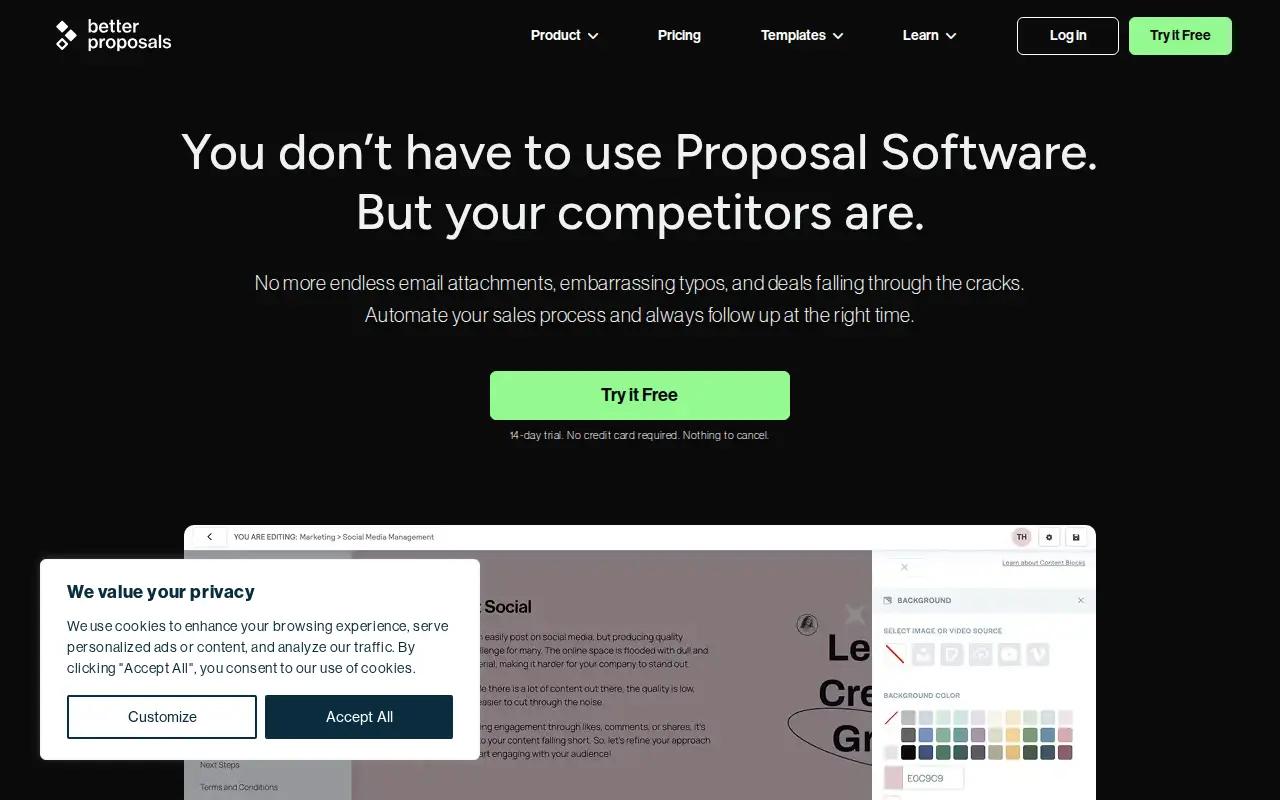
Better Proposals leans on a big library of designed templates so freelancers and small businesses can send a decent web-based proposal with signatures fast, no design skills needed.
Capability snapshot
Nine jobs, scored 0 (not offered) to 3 (category-leading). Better Proposals is strongest on Self-serve onboarding and lightest on RFPs. The same scores feed every comparison table.
- RFPs0/3
- DDQs0/3
- Security questionnaires0/3
- AI drafting1/3
- Answer library1/3
- Source attribution0/3
- Workflow & approvals2/3
- Integrations2/3
- Self-serve onboarding3/3
Strongest: Self-serve onboardingLightest: RFPs
Key features
- Large library of designed templates
- Web-link delivery with digital signatures
- Real-time open and view notifications
- CRM and workflow integrations
Who it's for
Solo operators and small teams who send client proposals and want templates, signing, and tracking in one place.
Strengths
- Better Proposals says it offers more than 260 document templates, so non-designers start from a finished layout.
- Signatures, payment integrations, the content library and open tracking are on every plan, including Starter.
- Rated 4.8/5 on Capterra across 166 reviews (as of July 2026), with ease of use a common theme.
Limitations
- Starter is 1 user and 10 sends a month; CRM integrations and a custom domain need Premium, which caps sends at 50.
- Manager approvals, content locking and simultaneous editing are Enterprise-only.
- Its own help center says PDF copies can differ from the web version of a proposal.
- Capterra reviewers (2023 to 2026) call the editor clunky, with limited layout control.
Where it falls short
Gaps we found in research, each linked to its source.
- PDF versions of a proposal can differ from the online version, which Better Proposals attributes to fitting web content into a paged format. help.betterproposals.io, 2026-10
- The Starter plan is limited to 1 user and 10 sent documents a month. CRM integrations, a custom domain and API/Zapier access start on Premium, which caps sends at 50 a month. betterproposals.io, 2026-10
- Manager approvals, content locking, simultaneous editing and inline commenting are Enterprise-only, so review controls cost $42 per user per month billed annually. betterproposals.io, 2026-10
- Several Capterra reviews (December 2023, September 2024, January 2025 and April 2026) describe the page editor as clunky, with limited layout options and cumbersome formatting. capterra.com, 2026-10
Security: ISO 27001, SOC 2, and regional hosting
A security review of Better Proposals usually starts with three questions: ISO 27001, SOC 2, and whether you can keep data in the US or the EU. We only mark a yes when a public vendor page supports it.
- ISO 27001
- Not listed
- SOC 2
- Not listed
- US hosting
- Not listed
- EU hosting
- Not listed
Slack, Teams and the rest of the stack
Better Proposals collaboration is only as useful as the chat tools your SMEs already live in. Slack and Microsoft Teams are the two that matter on a live questionnaire.
- Slack
- Not listed
- Microsoft Teams
- Not listed
Subprocessors
For Better Proposals, start with the big three clouds (AWS, Azure, GCP), then look at niche processors that touch answer content, call a third-party model, or record sessions.
- AWS, Azure, GCP
- Not listed
No named subprocessors are listed in our sourced dataset for Better Proposals.
Topics
Ratings
Pricing and value
How much does Better Proposals cost?
Better Proposals uses per-seat pricing, starting at $13/user/mo Per-user plans: Starter $13, Premium $21 and Enterprise $42 per user per month billed annually ($19, $29 and $49 billed monthly). 14-day free trial, no credit card required.
Better Proposals publishes a free trial, last checked Oct 2026.
On our capability model it scores 3.7 out of 5 across 9 dimensions, and G2 reviewers rate it 4.3/5 across 51 reviews. Weigh that against freelancers and small businesses that want good-looking proposals without design work to judge whether the price fits the job.
Pricing and details verified Oct 2026. Confirm on the vendor's site before you buy.
Who should pick Better Proposals, and who should skip it
Pick it if you fit this profile: solo operators and small teams who send client proposals and want templates, signing, and tracking in one place. Where it earns its place: Better Proposals says it offers more than 260 document templates, so non-designers start from a finished layout.
Look elsewhere if this limitation is a deal-breaker: Starter is 1 user and 10 sends a month; CRM integrations and a custom domain need Premium, which caps sends at 50. Also look around if rfps is central to how you work (0/3 here). In that case, one of the Better Proposals alternatives may fit better.
Bottom line
Best use case in one line: Freelancers and small businesses that want good-looking proposals without design work.
Teams evaluating Better Proposals often also compare Better Proposals vs Proposable, Better Proposals vs Bidsketch, and Better Proposals vs PandaDoc, or browse Better Proposals alternatives.
Similar tools
Loopio, AutoRFP.ai, and Responsive come first as category benchmarks, followed by the closest peers on the job Better Proposals is hired for (shared categories and tags, plus aligned capabilities). The snapshot above already scores each job. The notes below say where each tool is stronger, lighter, or a match.
Loopio (4.6/5, Custom (~$20K+/yr est.)). Best for large enterprise teams with high response volume and a mature content library. Leads Better Proposals on RFPs, DDQs, and AI drafting. Audience: Teams in SaaS, tech, financial services, and healthcare answering high volumes of RFPs, RFIs, DDQs, and security questionnaires. Watch-out: No public prices: the entry Foundations plan includes 10 seats, and multi-step reviews start one tier up on Enhanced.
AutoRFP.ai (4.9/5, $899/mo). Best for software and finance teams answering structured RFPs in Word and Excel who want accuracy-first drafts, responses written to win, and a workflow that is easy to run. Leads Better Proposals on RFPs, DDQs, and AI drafting. Audience: Software and finance response teams whose RFPs come in as Word or Excel files and who want accuracy-first drafts, winning responses with every line cited to a source, a person, or the AI, and a workflow that is easy to run. Watch-out: Built for structured, source-cited answers rather than creative writing on long-form responses. For persuasive multi-page narrative, AutogenAI is built for that prose job.
Responsive (4.6/5, $10,000 (Emerging edition)). Best for enterprise teams with complex approval chains and heavy integration requirements. Leads Better Proposals on RFPs, DDQs, and AI drafting. Audience: Enterprise sales and proposal teams that need the widest workflow across RFPs, RFIs, DDQs, and security questionnaires. Watch-out: Quoted by edition, user count, and add-ons, with a 12-month minimum term as standard and no free trial.
Bidsketch (3.5/5, $15/mo). Best for salespeople who want a simple, proven proposal tool and can live with a dated UI. Matches Better Proposals on RFPs and DDQs, and is lighter on AI drafting. Audience: Salespeople and small teams that need reusable proposal templates and view tracking without extras. Watch-out: The $15 Starter plan has no e-signatures or custom domain and caps you at 25 clients; Team and Business cap users at 3 and 8.
Prospero (3.6/5, $12/user/mo). Best for freelancers and small teams that want a cheap, easy proposal builder. Matches Better Proposals on RFPs, DDQs, and AI drafting. Audience: Small teams and solo consultants who need to create, send, and track proposals without much overhead. Watch-out: Template designs and theme editing are basic, per 2025 Capterra reviews.
Proposify (3.7/5, $35/user/mo). Best for sales and marketing teams that care about polished, on-brand proposals. Matches Better Proposals on RFPs, DDQs, and AI drafting. Audience: Sales and marketing teams sending branded client proposals who want design control and engagement tracking. Watch-out: Every plan has a monthly send limit with per-send overage fees.
Sources behind this Better Proposals review
Every page we read for the Better Proposals profile, with the month it was last checked. Anything without a source is shown as not publicly disclosed. Spot an outdated fact? Send it from the corrections page.
Pricing
Security and compliance
- No security source URL recorded. Treat certifications and hosting as not publicly disclosed.
Product and integrations
Frequently asked questions
Do I need design skills for Better Proposals?
No. You start from a designed template and swap in your content. Expect some fiddling if you want a layout the templates do not already cover.
Who is it best suited to?
Freelancers and small businesses sending client proposals, not teams answering RFPs or security questionnaires.
What is Better Proposals?
Better Proposals leans on a big library of designed templates so freelancers and small businesses can send a decent web-based proposal with signatures fast, no design skills needed. In this directory it sits under Proposal Management.
How much does Better Proposals cost?
Better Proposals uses per-seat pricing starting at $13/user/mo. Per-user plans: Starter $13, Premium $21 and Enterprise $42 per user per month billed annually ($19, $29 and $49 billed monthly). 14-day free trial, no credit card required.
Does Better Proposals have a free plan or trial?
No. Better Proposals does not advertise a free plan, so expect a demo or quote on its per-seat pricing.
What does Better Proposals do best?
Better Proposals says it offers more than 260 document templates, so non-designers start from a finished layout. Signatures, payment integrations, the content library and open tracking are on every plan, including Starter.
What are the main limitations of Better Proposals?
Starter is 1 user and 10 sends a month; CRM integrations and a custom domain need Premium, which caps sends at 50. Manager approvals, content locking and simultaneous editing are Enterprise-only. Its own help center says PDF copies can differ from the web version of a proposal. Capterra reviewers (2023 to 2026) call the editor clunky, with limited layout control.
Who should use Better Proposals?
Solo operators and small teams who send client proposals and want templates, signing, and tracking in one place.
Does Better Proposals handle RFPs, DDQs, and security questionnaires?
Better Proposals RFPs, DDQs, and security questionnaires are a limited fit. Solo operators and small teams who send client proposals and want templates, signing, and tracking in one place.
What integrations and certifications does Better Proposals list?
Better Proposals lists HubSpot, Salesforce, Zapier, Asana. No certifications are listed in our dataset; confirm on the vendor site.
Does Better Proposals have ISO 27001, SOC 2, and US or EU hosting?
Better Proposals ISO 27001: Not listed. SOC 2: Not listed. US hosting: Not listed. EU hosting: Not listed. Slack: Not listed. Microsoft Teams: Not listed. Big-three clouds listed: Not listed. Confirm on the vendor site before a security review.